Roles and permissions
Auth Service implements a per-application RBAC model. Each application has its own independent set of roles and permissions — a role named editor in App A is completely separate from a role named editor in App B.
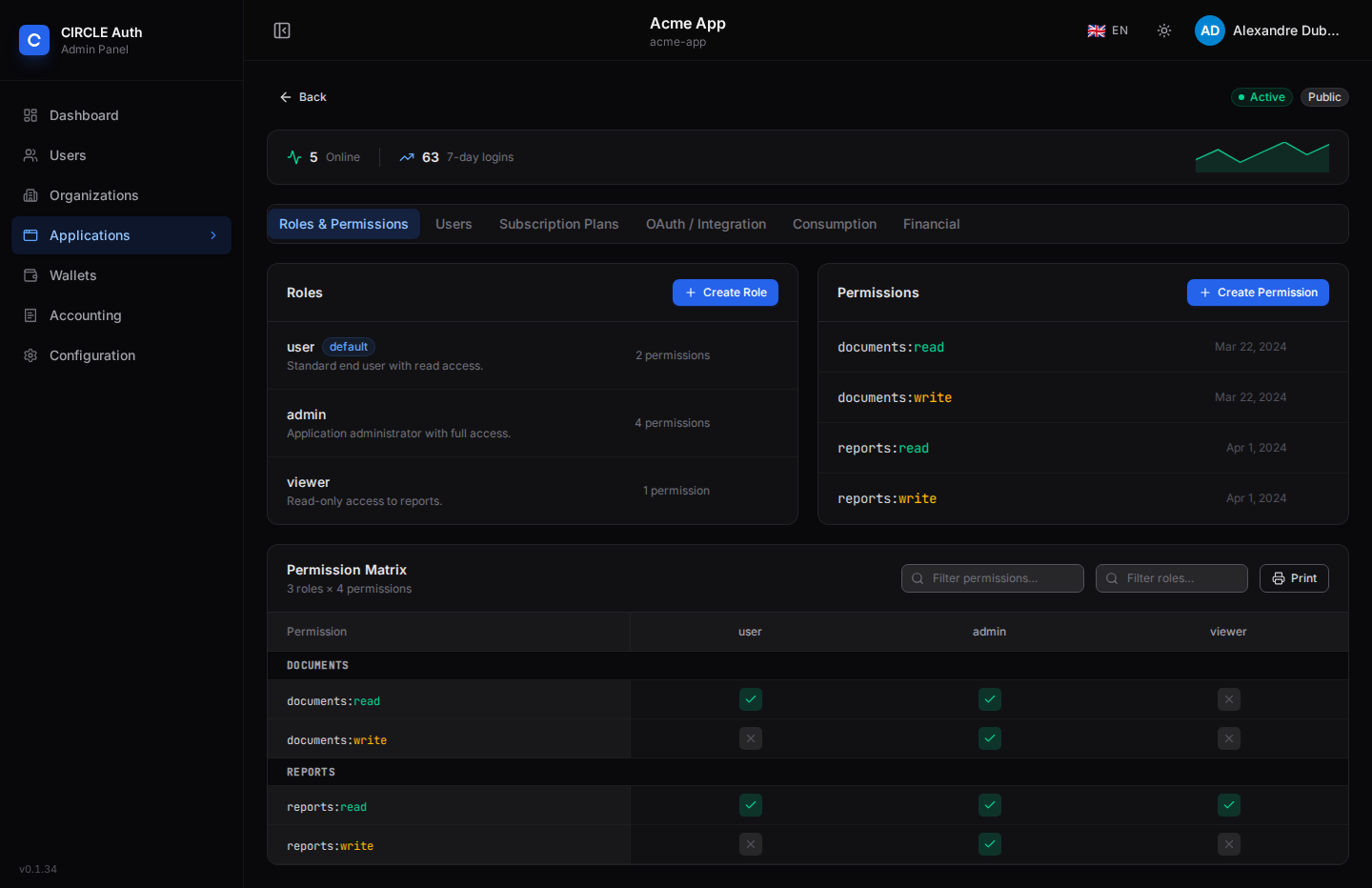
All endpoints below require an admin or superadmin session. The admin interface shows an application's roles, permissions and the matrix between them. In the matrix every cell toggles one assignment, rows are grouped by resource, the headers stay in view while scrolling and are turned sideways when there are many roles. Two filters narrow the roles and permissions on screen, and Print produces a black-and-white, landscape copy of the whole matrix (the filters are ignored) for audits.
Concepts
- Role — a named group (e.g.
editor,beta-tester) that can be assigned to users within a specific application. Each role has an optionalisDefaultflag; whentrue, new users granted access to the application receive this role automatically. - Permission — a
resource+actionpair (e.g.articles+read, orcomments+write). Permissions are attached to roles, not to users directly. - When the
rolesandpermissionsscopes are requested in an OAuth flow, Auth Service resolves the user's roles for the application, then flattens all permissions across those roles into the token.
Roles
List roles
GET /api/admin/applications/:appId/roles
Returns { "roles": [...] }, each role with its permissionIds array. A new application is created with two roles, user (the default) and admin.
Create a role
POST /api/admin/applications/:appId/roles
Content-Type: application/json

{
  "name": "editor",
  "description": "Can create and edit content",
  "isDefault": false
}
| Field | Type | Default | Description |
|---|---|---|---|
name | string | required | Role name (1–64 chars, unique per application) |
description | string | — | Optional description (max 250 chars) |
isDefault | boolean | false | Auto-assign when granting user access to the app. Only one role per application is the default: setting it here demotes the previous default |
Returns 201 { "role": { ... } }. A name already used in the application returns 409 PERM_004.
Update a role
PATCH /api/admin/applications/:appId/roles/:roleId
{ "description": "Can edit content", "isDefault": false }
Only description (null clears it) and isDefault can change, and at least one must be sent. The name is immutable: downstream applications authorise against it, so a payload containing name (or any other field) is rejected with 400 APP_001. To rename a role, create the new one and move the users over. Making a role the default demotes the previous default.
Delete a role
DELETE /api/admin/applications/:appId/roles/:roleId
Returns 204 on success, 400 PERM_006 if any user holds this role, and 404 PERM_002 if the role does not exist in the application.
Permissions
List permissions
GET /api/admin/applications/:appId/permissions
Returns { "permissions": [...] }.
Create a permission
POST /api/admin/applications/:appId/permissions
Content-Type: application/json

{
  "resource": "articles",
  "action": "write"
}
| Field | Type | Default | Description |
|---|---|---|---|
resource | string | required | Resource name (1–128 chars). Must start with a letter and contain only letters, digits, dots, underscores and hyphens, otherwise 400 PERM_001 |
action | "read" | "write" | "read" | Access level |
Returns 201 { "permission": { ... } }. The pair (resource, action) must be unique per application. Returns 409 PERM_005 on conflict.
Delete a permission
DELETE /api/admin/applications/:appId/permissions/:permissionId
Returns 204, or 404 PERM_003 if the permission does not exist in the application. Deleting a permission removes it from every role.
Assign / unassign permissions to a role
# Assign — permissionId is sent in the request body
POST /api/admin/applications/:appId/roles/:roleId/permissions
{ "permissionId": "<permission-id>" }

# Unassign
DELETE /api/admin/applications/:appId/roles/:roleId/permissions/:permissionId
The role and the permission must both belong to :appId, otherwise the call fails with 404 PERM_002 / 404 PERM_003. Assigning twice is not an error. The assign call returns 201 { "ok": true }, the unassign call 204.
Assign a role to a user
A user's role for an application is part of their access record. Set it when
granting access, or update it afterwards — there is no separate role-assignment
endpoint. PATCH replaces the user's current role(s) in the application with the given one (send "roleId": null to remove them), and a grant without roleId assigns the application's default role.
# When granting access
POST /api/admin/applications/:id/users
{ "userId": "<user-id>", "roleId": "<role-id>" }

# Update an existing access record
PATCH /api/admin/applications/:id/users/:userId
{ "roleId": "<role-id>" }
Token claim format
When the roles and permissions scopes are included, the ID token (and the access token) carries:
{
  "roles": ["editor"],
  "permissions": ["articles", "comments.write"]
}
Permission strings use the format "resource" for read actions and "resource.write" for write actions. Permissions are aggregated across all roles the user holds, with one entry per resource: if one role grants read and another grants write on the same resource, only resource.write is emitted. A user without a role gets "permissions": [].